

LILLIPUT PVM220S-E Series 21.5" Live Stream Recording Monitor with 3 Push 1 Pull Stream and 3D-LUT, HDR, Gammas, Waveform, Vector.. (PVM220S-E-VBP with V Mount Plate)
Product details
| Management number | 209106143 | Release Date | 2026/03/29 | List Price | $319.60 | Model Number | 209106143 | ||
|---|---|---|---|---|---|---|---|---|---|
| Category | |||||||||
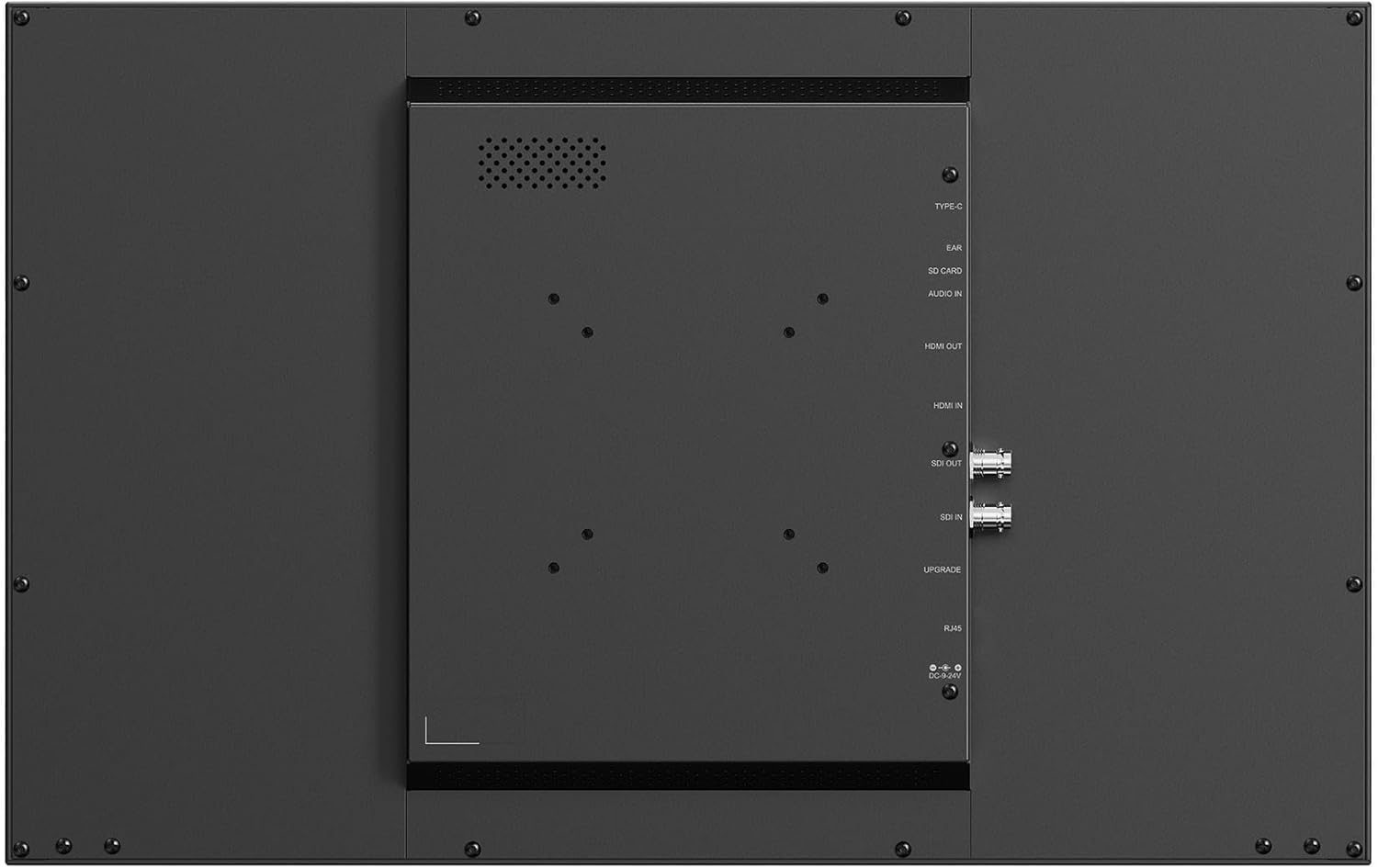
Key Features Live Streaming & Recording Monitor 1000 cd/m² Brightness, 1000:1 Contrast 3G-SDI & HDMI 2.0 Connectivity Records on SD Cards up to 512GB 3D LUT & HDR Support Full-Screen Waveform & Vectorscope Integrated V-Mount Battery Plate 178° Viewing Angle 15 VDC, 4A Adapter Included The PVM220S-E 21.5" Live Stream Recording Monitor from Lilliput is a professional monitor designed for live streaming and recording. Boasting 1000 cd/m² brightness and 1000:1 contrast, it offers a range of input options, including 3G-SDI and HDMI 2.0, ensuring compatibility with various devices for broadcast-quality monitoring. This monitor can record up to 1080p HDMI or SDI video signals directly to an SD card with a maximum capacity of 512GB. It is rich in advanced features like precise waveform and vector functions, 3D LUT and HDR support, and full-screen waveform and vectorscope functions, making it ideal for accurate color grading and picture analysis. The PVM220S-E can be powered with the included 15 VDC, 4A power adapter, and it comes with an integrated V-mount battery plate. ( model PVM220S-E-VBP) , with Gold mount (chose PVM220S-E-ABBP) or with carry on case models end with -CC
- Key Features Live Streaming & Recording Monitor 1000 cd/m² Brightness, 1000:1 Contrast 3G-SDI & HDMI 2.0 Connectivity Records on SD Cards up to 512GB Records on SD Cards up to 512GB
- 3D LUT & HDR Support Full-Screen Waveform & Vectorscope Integrated V-Mount Battery Plate 178° Viewing Angle 15 VDC, 4A Adapter Included
- The PVM220S-E 21.5" Live Stream Recording Monitor from Lilliput is a professional monitor designed for live streaming and recording. Boasting 1000 cd/m² brightness and 1000:1 contrast, it offers a range of input options, including 3G-SDI and HDMI 2.0, ensuring compatibility with various devices for broadcast-quality monitoring. This monitor can record up to 1080p HDMI or SDI video signals directly to an SD card with a maximum capacity of 512GB. It is rich in advanced features like precise waveform and vector functions, 3D LUT and HDR support, and full-screen waveform and vectorscope functions, making it ideal for accurate color grading and picture analysis.
- The PVM220S-E can be powered with the included 15 VDC, 4A power adapter, and it comes with an integrated V-mount battery plate( model PVM220S-E-VBP) , with Gold mount (chose PVM220S-E-ABBP) or with carry on case models end with -CC
| Brand | LILLIPUT |
|---|---|
| Color | BLACK |
| Model Name | PVM220S-E |
| Resolution | FHD 1080p |
| Screen Size | 21.5 |
| Aspect Ratio | 16:9 |
| Manufacturer | LILLIPUT |
| Model Number | PVM220S-E-VBP with V mount plate |
| Refresh Rate | 60 |
| Response Time | 20 Milliseconds |
| Screen Finish | Matte |
| Has Color Screen | Yes |
| Additional Features | Portable |
| Warranty Description | ONE year warranty by LILLIPUT USA |
| Hardware Connectivity | HDMI |
| Item Dimensions D x W x H | 1.85"D x 20"W x 12.63"H |
| Display Resolution Maximum | 1920 x 1080 |
| Number of Component Outputs | 2 |



Bestseller ranking
Monitors



Correction of product information
If you notice any omissions or errors in the product information on this page, please use the correction request form below.
Correction Request Form